
In the highly competitive world of PC gaming, the mouse is the primary interface between player intent and digital action. While household names like Razer and Logitech dominate the retail shelves, the landscape of high-performance peripherals is far broader and more nuanced than a casual browse through an electronics store might suggest. For the enthusiast, selecting the right sensor, weight profile, and chassis rigidity is not merely a purchase—it is an investment in precision.
This guide examines the current market of elite gaming mice, explores the critical role of surface interaction, and provides a framework for selecting hardware that aligns with your specific biomechanical needs.
The Landscape of Modern Gaming Mice: Key Selections
The current market is defined by a dichotomy: the pursuit of the "ultralight" extreme versus the demand for premium, rigid build quality.

The Ultralight Vanguard
For those who prioritize pure speed, the Corsair Sabre V2 Pro Ultralight ($130) represents a radical engineering philosophy. At a mere 36 grams, it challenges the limits of weight reduction. During testing, the device demonstrated that while its thin shell construction may feel unconventional or even "flimsy" to users accustomed to heavier mice, this is an intentional trade-off. It is the spiritual successor to Colin Chapman’s automotive mantra: "Simplify, then add lightness." It is an exceptional tool for twitch-based shooters, provided the user understands that structural robustness has been sacrificed for millisecond-advantage speed.
Premium Materials and Structural Integrity
For users who find the 30-gram class of mice too fragile, the Corsair Sabre V2 Carbon Fiber and Magnesium ($170) offerings provide a middle ground. Hovering just under the 60-gram mark, these models utilize advanced metallurgy and carbon fiber composites to achieve high rigidity. The magnesium chassis, in particular, offers a tactile premium feel that justifies its price point. It provides a sturdy, confident grip that can withstand intense, high-APM (actions per minute) sessions without the flex associated with injection-molded plastic.
Reliability and Value
The Logitech Pro X Superlight 2 Dex ($160) remains a cornerstone of the professional gaming scene. Despite being a more mature design in the fast-moving peripheral market, its ergonomic profile and sensor performance remain world-class. Its greatest strength is its current market availability; as newer, more expensive flagships arrive, the Dex often receives significant discounts, making it one of the highest "value-to-performance" ratios available today.

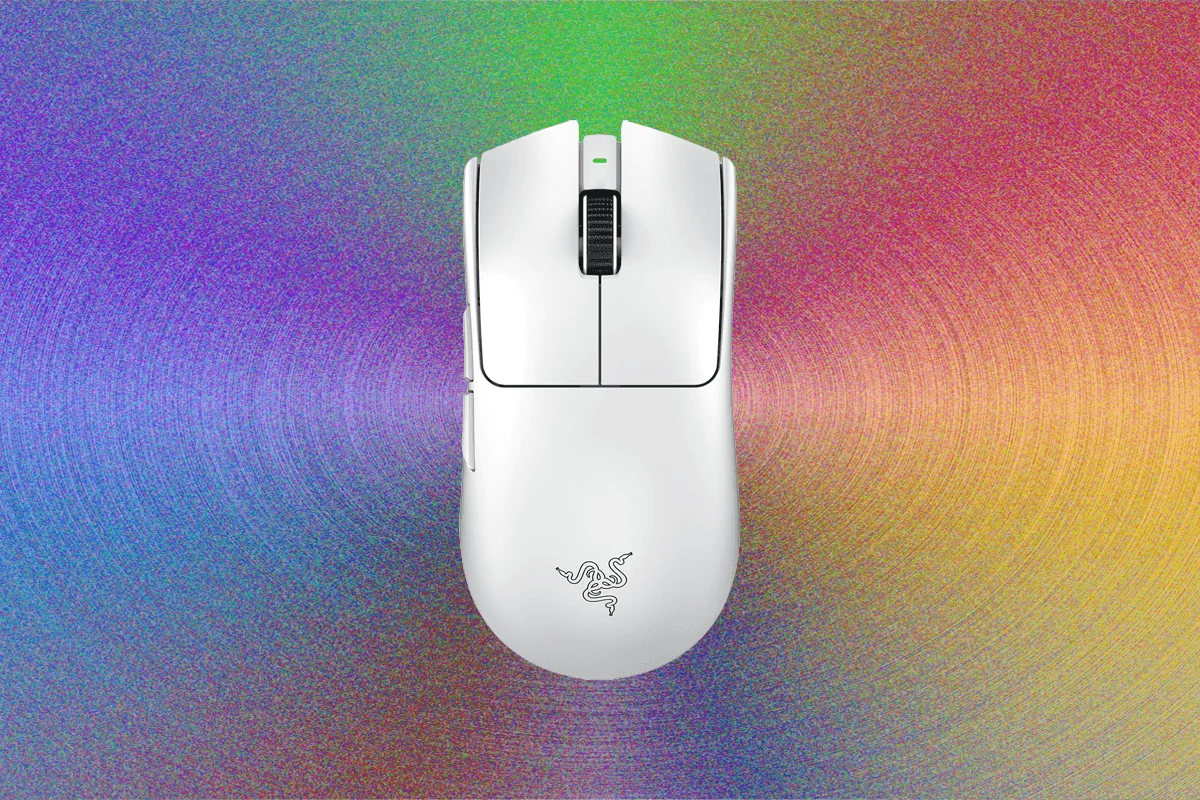
For those who prefer the familiar, the Razer Viper V3 Pro ($100) continues to be a gold standard. Its symmetrical shape, combined with the inclusion of an 8,000-Hz HyperPolling dongle, ensures that it remains competitive against the latest hardware. Its battery efficiency—rated for 95 hours—is a testament to the refinement of Razer’s internal power management.
Specialized Peripherals: When Standard Mice Fail
Not every gamer is a competitive FPS player. For those who require complex macros or specialized functionality, the market offers niche solutions.
The MMO Utility: Corsair Scimitar Elite Wireless SE ($80)
The MMO (Massively Multiplayer Online) genre has seen a decline in mainstream attention, but the need for rapid-fire macro execution remains. The Scimitar stands out by introducing a sliding rail system for its side-button grid. This allows users to physically shift the button cluster to match their specific thumb placement, accommodating a wide range of hand sizes—a feature that provides a significant ergonomic advantage over static button layouts.

Durability and Environmental Resilience: SteelSeries Aerox 3 ($100)
The Aerox 3 occupies a unique space in the market: it is effectively waterproof. In rigorous testing, the device survived direct exposure to running water without failure. Beyond its IP rating, it features dual-connectivity (Bluetooth and 2.4GHz wireless), making it an ideal candidate for multi-device setups or environments where spills are a concern. While its 66-gram weight and 1,000-Hz polling rate are modest by modern standards, its durability is an asset for shared workstations.
The Budget Entry-Level: Logitech G203 ($27)
The G203 proves that one does not need to spend triple digits to acquire a functional gaming mouse. While it lacks the extreme performance sensors of the Pro-tier models, it includes the essential elements: six programmable buttons, reliable software support via G Hub, and customizable RGB lighting. It is the definitive choice for entry-level gamers who want a "gaming-first" experience without the premium price tag.
Supporting Data: The Science of the Surface
A high-performance mouse is only as effective as the surface it traverses. The interaction between the mouse feet (often PTFE) and the desk pad determines the consistency of your aim.

- Harber London Professional Leather Desk Mat ($239): A premium choice for the aesthetics-focused user. The pebbled leather provides a surprisingly consistent glide, balancing friction and speed, while offering a professional, executive look.
- SteelSeries QcK ($11): The industry standard for a reason. Its tightly woven cloth surface prevents fraying, and its consistent tracking makes it the safest choice for competitive gaming.
- Grovemade Wool Felt Desk Pad ($70): A surprise performer. While marketed as a desk accessory, the wool felt offers a unique, plush texture that allows high-end gaming mice to glide with almost zero resistance. It effectively softens the impact on the wrists during long sessions.
The Mechanics of Selection: Biomechanics and Ergonomics
Choosing a mouse is not about the "best" spec sheet; it is about the "best fit."
Defining Your Grip
- Palm Grip: The entire hand rests on the mouse. Accuracy is prioritized over agility. Large, contoured mice are preferred here.
- Claw Grip: The palm rests on the rear of the mouse while fingers are arched. This is the "middle ground" of performance, offering a balance of control and speed.
- Fingertip Grip: Only the fingertips contact the mouse. This allows for maximum speed and rapid adjustments, but requires the most precision from the user.
Measurement Methodology
To ensure a proper fit, users should measure from the tip of the middle finger to the base of the palm. If the hand is longer than the mouse, the user may experience cramping. Conversely, a mouse that is too wide for your grip (measured from thumb to pinky) can cause long-term strain. Utilizing tools like the Rocket Jump Ninja database allows users to cross-reference their hand measurements with specific model dimensions to ensure a purchase that prevents, rather than causes, repetitive strain injuries.
Implications for the Future of Peripheral Design
The trajectory of the gaming mouse market is clear: we are moving toward a period of "diminishing returns" in sensor technology. As 8,000-Hz polling and high-DPI sensors become the baseline, the focus of major manufacturers has shifted toward materials science.

The use of magnesium, carbon fiber, and proprietary bio-plastics suggests that the next generation of mice will be defined by weight-to-rigidity ratios. Furthermore, the inclusion of "mobile" versions of professional mice, such as the Razer Basilisk Mobile, indicates that manufacturers are listening to the "digital nomad" demographic—gamers who demand high-end performance in a chassis that fits in a laptop bag.
However, a cautionary note remains for the consumer: technology cannot replace good habits. Even the most advanced, ultralight, magnesium-chassis mouse will be ineffective if the user ignores the importance of proper ergonomics and surface maintenance.
In conclusion, the best gaming mouse is not the one with the highest price tag or the most aggressive marketing. It is the one that disappears into your hand, allows for consistent, repeatable movement, and matches the unique biomechanical requirements of your specific grip style. Whether you are investing in a $27 budget workhorse or a $170 premium tool, the goal remains the same: total control over your digital environment.