
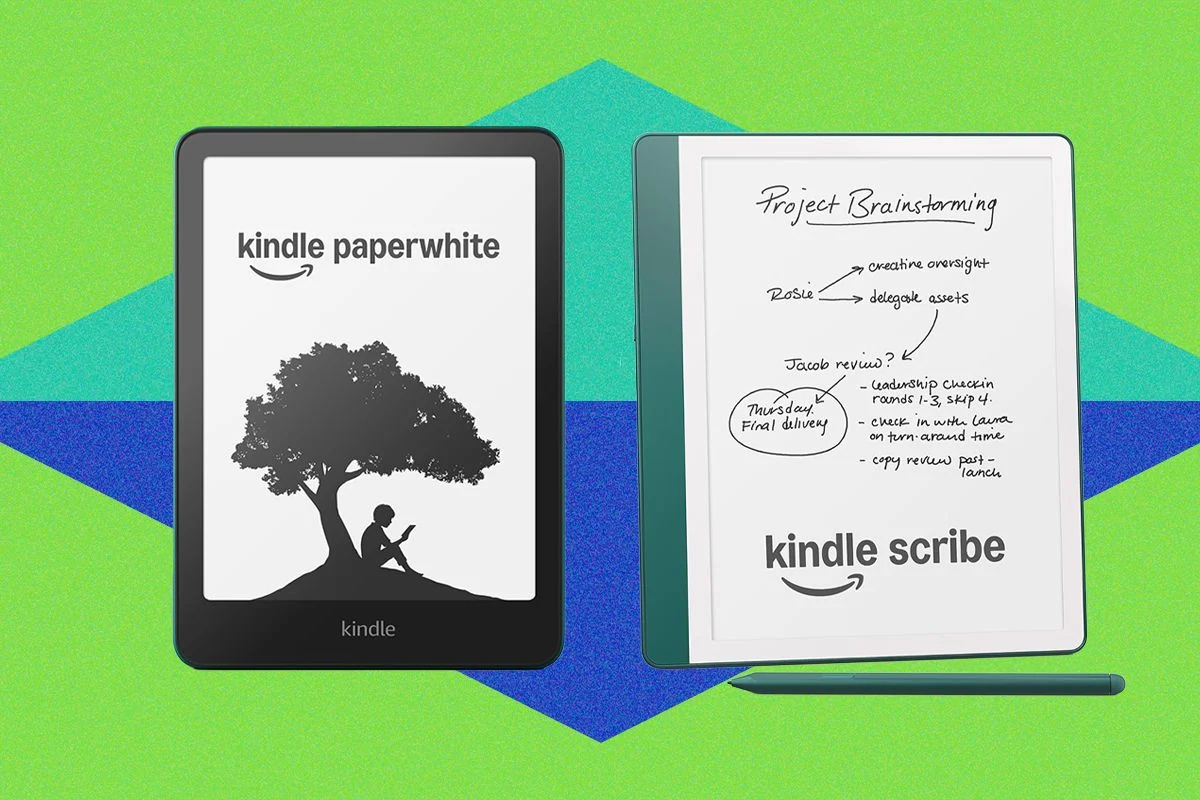
The e-reader landscape underwent a significant transformation between late 2025 and mid-2026 as Amazon, the undisputed titan of the digital reading market, refreshed its high-end Scribe lineup. These releases signal a shift in how Amazon views the e-reader: no longer just a vessel for novels, but a sophisticated, AI-enhanced tool for professionals, students, and academics.
As we navigate this new hardware generation, consumers are faced with a complex array of choices. With the introduction of the Kindle Scribe Colorsoft, the 3rd Generation Scribe, and the entry-level Scribe Without Front Light, the market has never been more segmented. This guide breaks down the technical advancements, the implications of these changes, and provides a roadmap for those looking to upgrade—or those looking for a bargain in the secondary market.
The New Kindle Scribe Lineup: A Chronology of Innovation
The launch cycle that began in late 2025 and concluded in June 2026 saw Amazon move aggressively to address feedback from its core user base. The evolution of the Scribe series is defined by a push toward larger, more versatile displays and the integration of artificial intelligence into the reading workflow.
The Flagship: Kindle Scribe Colorsoft ($630)
The headline of the recent releases, the Scribe Colorsoft represents the pinnacle of Amazon’s e-ink technology. By integrating a color display, it bridges the gap between traditional e-readers and digital tablets. However, this visual upgrade comes at a cost, both in terms of retail price and battery efficiency. With an expected battery life of eight weeks, it demands more frequent charging than its monochrome siblings.
The Versatile Workhorse: Kindle Scribe 3rd Gen ($550)
For many, the 3rd Generation Scribe remains the "Goldilocks" device. It offers the refined stylus experience and the updated 11-inch display of the premium model, but it sticks to the high-contrast, black-and-white e-ink that remains the industry standard for eye comfort. It boasts a solid 12-week battery life, making it the ideal companion for long-term research projects.
The Minimalist: Kindle Scribe Without Front Light ($430)
Targeted at purists and those working in environments with consistent lighting, this version strips away the front-lit display to maximize battery longevity—reaching an impressive 16 weeks. It is the most utilitarian of the three, focusing on the core experience of writing and reading without the distractions of complex display hardware.
Supporting Data: Why Hardware Matters
The shift toward an 11-inch form factor is the most significant hardware change across the new lineup. This increase in screen real estate is not merely for aesthetic purposes; it is a fundamental shift designed to accommodate the new "notebook-forward" software design.
All three models share a quad-core processor, which provides a snappy, responsive interface that feels markedly different from the sluggishness often associated with early e-ink devices. Furthermore, the integration of Google Drive and Microsoft OneDrive support marks a major milestone. Users can now directly import documents for annotation, a feature previously locked behind cumbersome email-to-Kindle workflows.
Battery Life Comparison Table
| Model | Battery Life (Reading) | Price (USD) |
|---|---|---|
| Scribe Without Front Light | 16 Weeks | $430 |
| Scribe (3rd Gen) | 12 Weeks | $550 |
| Scribe Colorsoft | 8 Weeks | $630 |
AI Integration and the Future of Reading
Perhaps the most debated aspect of the new generation is the aggressive rollout of artificial intelligence. Amazon has integrated AI search capabilities, allowing users to query their entire library to find specific themes, characters, or plot points without having to manually flip through pages.
Looking toward 2027, Amazon has teased "spoiler-free" book summarization tools. These features are designed to help students and book club members grasp the essence of dense materials quickly. While the 3rd Generation Scribe includes some of these AI capabilities, it notably lacks the advanced AI search found in the top-tier models.
It is worth noting that for those who prefer a more traditional experience, the 2nd Generation Kindle Scribe remains a viable, albeit aging, alternative. While Amazon has promised to update the older model’s interface to match the new "notebook-forward" design, those updates have been slow to manifest, leaving the 2nd Gen in a state of software limbo.
Official Responses and Quality Control
The launch of the Colorsoft technology has not been without controversy. In 2024, widespread reports of a "yellow bar" at the bottom of the screen plagued early units. Amazon’s official response has been one of remediation and accountability.
"Customers who notice this can reach out to our customer service team for a replacement or refund," an Amazon spokesperson told WIRED. Furthermore, the company claims to have implemented manufacturing adjustments to prevent this discoloration in the latest production runs. Despite these assurances, the stigma remains, and prospective buyers are advised to purchase directly from official channels to ensure they are covered by Amazon’s warranty and support network.
Implications for the Consumer: Is It Time to Buy?
For the average reader, the cost of the new Scribe lineup is a significant barrier to entry. At $630, the Scribe Colorsoft occupies a luxury space that invites direct comparison to specialized digital notebooks like the reMarkable series.
The Case for the Older Models
If you do not require the specific AI search features or the 11-inch display, the secondary market for 11th Generation Paperwhites and 1st Generation Scribes is currently flooded with high-quality used units.
- Kindle (2022, 11th Gen): Best for users who find large tablets cumbersome. It offers 300 PPI resolution and 16GB of storage.
- Kindle Paperwhite (2021, 11th Gen): The standard for most users, featuring a 6.8-inch waterproof screen.
- Kindle Scribe (1st Gen): Still a powerhouse for note-taking at a lower price point, provided you can find it for under $230.
The "End of Support" Reality
As of May 20, 2026, Amazon has officially ended support for Kindles released in 2012 or earlier. These devices can no longer register to an Amazon account or access the Kindle Store. If you own a device from that era, it is time to upgrade. While you can still use software like Calibre to sideload documents via USB, the lack of cloud syncing and direct store access makes these devices obsolete for the modern, connected reader.
Expert Tips for Maximizing Your Kindle Experience
Regardless of which model you choose, the utility of a Kindle extends far beyond the hardware itself.
- Customization: Use the "Aa" menu to adjust fonts and line spacing. The OpenDyslexic font remains one of the most inclusive and helpful features for readers with dyslexia.
- Borrowing: Instead of purchasing every title, maximize your library card. Services like Libby (when used in conjunction with your local library) allow for a virtually limitless stream of reading material.
- Accessibility: The VoiceView screen reader is a powerful, underutilized tool for those with visual impairments. It allows for full navigation of the device through gesture-based commands.
- Goodreads Sync: By linking your account, you can automate your "To Be Read" list and track your reading progress across all your devices, including your smartphone app.
Conclusion
The Kindle is currently in a state of flux. By moving toward a more professional, notebook-oriented device, Amazon is successfully capturing a new demographic of students and office workers. However, in doing so, they have left behind the simplicity that made the early Kindle so beloved.
If you are a power user who needs to annotate PDFs, organize research, and utilize AI-driven search, the 3rd Generation Scribe is the most logical investment. If you are a casual reader, the recent price hikes make the older, high-quality Paperwhite models a more attractive proposition. As always, the best time to purchase is during major sales events—Amazon Prime Day and Black Friday remain the gold standards for securing a discount on these high-end devices.
Before you commit to a purchase, reflect on your habits: Do you truly need color, or is it a luxury that will only serve to shorten your reading sessions? Do you need a 10-inch canvas, or will a 6-inch screen suffice for your morning commute? The technology has evolved, but the fundamental joy of reading remains the same. Choose the device that serves your needs, not just the one with the longest list of features.