In the intricate world of digital photography, few technical concepts are as misunderstood—or as vital—as white balance (WB). It is the silent arbiter of mood, authenticity, and color accuracy. While novices often dismiss it as an automated camera setting, professional photographers view it as a critical pillar of image composition. As of 2026, the landscape of white balance has been fundamentally reshaped by advancements in artificial intelligence, turning what was once a laborious manual task into a sophisticated, automated process.
The Core Concept: What Is White Balance?
At its most fundamental level, white balance is the process of neutralizing color casts. Every light source—whether it is the golden glow of a sunset, the harsh blue flicker of a fluorescent office bulb, or the neutral radiance of high-noon sunlight—emits light at a specific "temperature."

Human vision is remarkable; our brains perform a constant, real-time "auto-white-balance" correction, allowing us to see a white piece of paper as white regardless of whether we are under a candle or a midday sun. Digital sensors, however, are literal. They record the exact wavelength of the light hitting them. If you photograph a white subject under warm, incandescent light without correcting the WB, the resulting image will be bathed in a yellow, sickly hue. Conversely, shooting in the shade without adjustment can lead to images with an unappealing, chilly blue cast. White balancing is the photographic act of counteracting these environmental biases to ensure that "white" looks white and colors appear true to human perception.
A Chronological Shift: From Manual Correction to AI-Driven Intuition
Historically, the evolution of white balance has moved through three distinct eras:

- The Analog/Film Era: Photographers relied on physical color-correction filters placed over the lens to balance light, or they chose specific film stocks balanced for either "Daylight" or "Tungsten."
- The Digital Transition (2000–2020): The advent of digital cameras introduced internal WB presets (Cloudy, Flash, Shade). Photographers learned to carry gray cards to calibrate their sensors manually, and post-processing in software like Lightroom became the standard for "fixing" colors in RAW files.
- The AI Renaissance (2021–2026): We have entered an era where computational photography handles the heavy lifting. Modern mirrorless cameras and post-processing algorithms no longer rely on simple "average color" calculations. Instead, they use scene-recognition AI to identify subjects—distinguishing skin tones from foliage or sky—and apply nuanced, intelligent color balancing that was previously impossible.
Supporting Data: Why "Neutral" Matters
The importance of white balance extends beyond mere aesthetics. In commercial fields like product photography and real estate, color accuracy is paramount. A product that appears the wrong shade of blue or yellow can lead to high return rates and dissatisfied customers.
Furthermore, the "Kelvin Scale" serves as the objective framework for these adjustments. Measured in Kelvins (K), light temperature operates on an inverse scale:

- 3000K: Warm, yellow light (candlelight, sunrise).
- 5000K: Neutral, balanced light (midday sun).
- 6500K+: Cool, blue-tinted light (overcast skies, deep shade).
Understanding this scale is essential for those moments when AI reaches its limits. While software is improving, it cannot always predict the artistic intent of the photographer, making a firm grasp of the Kelvin scale a necessary skill for any serious practitioner.
Implications of the 2026 AI Revolution
The integration of AI into the photography workflow has profound implications for both amateurs and professionals.

1. In-Camera Scene-Awareness
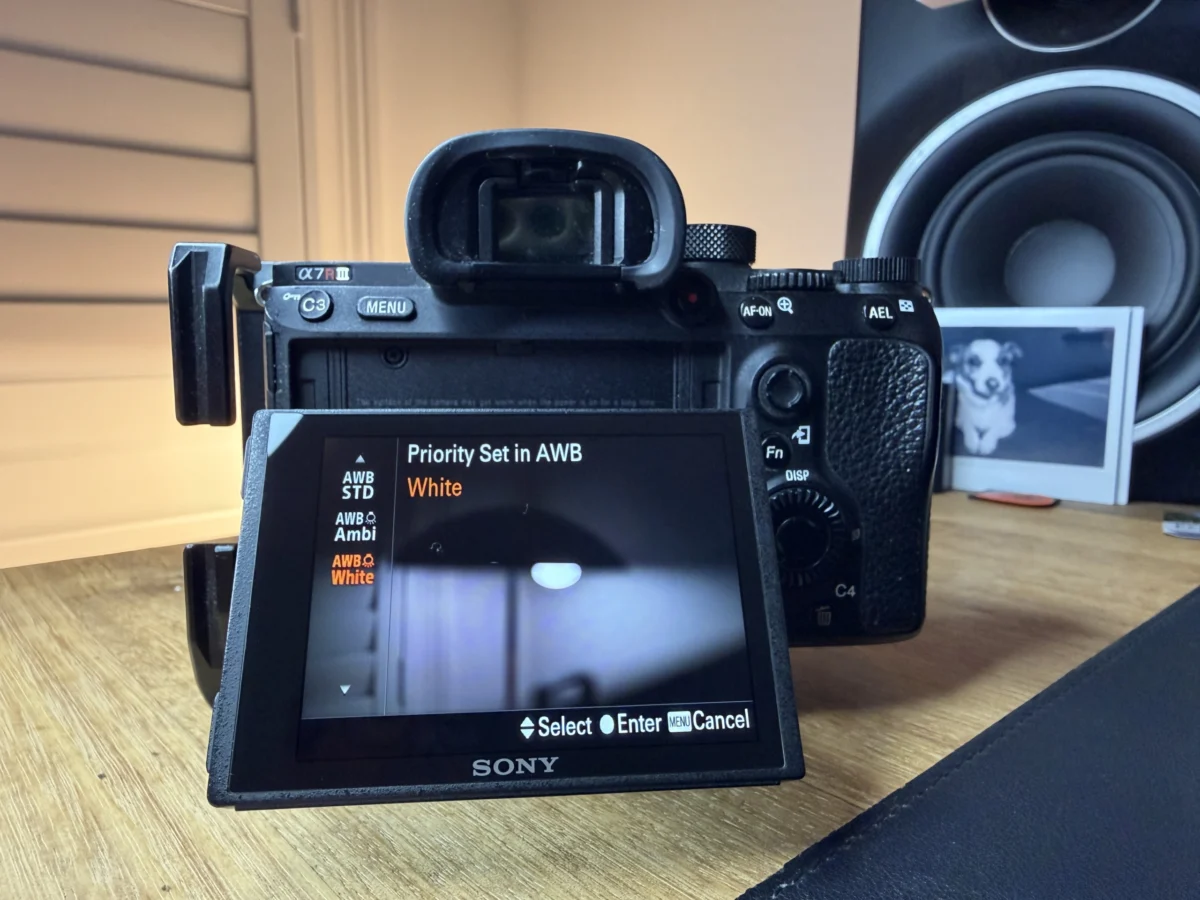
Current flagship mirrorless bodies, such as those from Canon, Nikon, and Sony, have moved away from basic algorithms. They now utilize "Ambience Priority" and "Natural Light" modes that analyze the entire scene. The camera doesn’t just look for a white point; it understands the context. If you are shooting a portrait, the camera prioritizes the color temperature of the skin, ensuring the subject looks healthy while maintaining the natural atmosphere of the background.
2. The Power of Live Preview
In the DSLR era, photographers often "chimped"—taking a shot and checking the rear screen to see if the colors were correct. With modern EVFs (Electronic Viewfinders), the white balance is rendered in real-time. If you adjust your Kelvin settings, you see the result before the shutter is ever pressed. This reduces the cognitive load on the photographer, allowing them to focus on composition and timing.

3. AI-Assisted Batch Processing
For wedding and event photographers, the post-processing burden has been slashed. Adobe Lightroom and similar software now feature "Subject-Aware" and "Match Color" tools. These tools can sample a single reference image and apply a consistent, intelligent white balance across thousands of photos, correcting for mixed lighting—like a scene with both warm dance-floor lights and cool window light—with a single click.
Expert Perspectives: When to Override the Machine
Despite these technological leaps, the industry consensus remains the same: AI is a tool, not a replacement for creative vision.

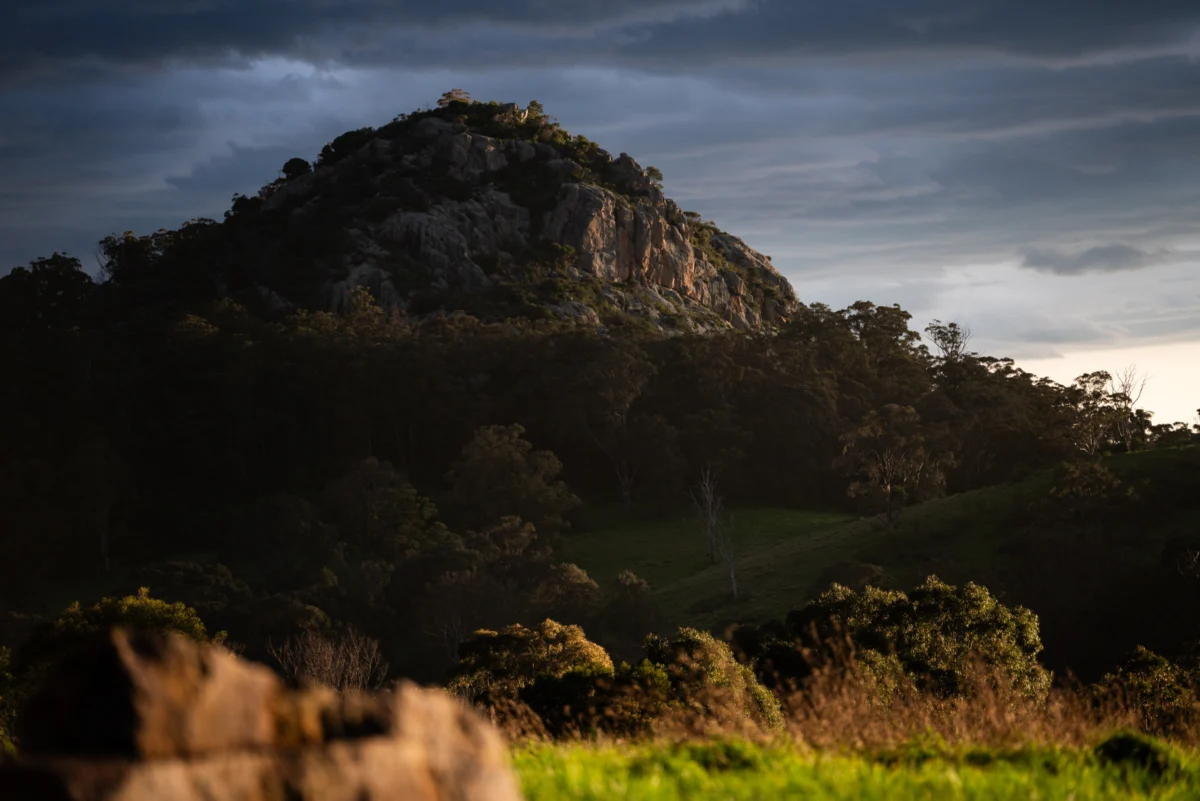
Leading industry voices caution that relying entirely on "Auto" can strip an image of its soul. For instance, if you are photographing a sunrise, an "accurate" white balance might neutralize the warmth of the sun, stripping the photo of its golden, emotional impact. Professional photographers advocate for using AI to reach a "technically correct" base, then manually adjusting the Temperature and Tint sliders to achieve a specific mood.
For video shooters, the advice is even more stringent. Because video is a sequence of frames, an AI-based Auto White Balance can "breathe" or shift colors mid-shot as the light fluctuates, which is distracting to the viewer. Professionals should continue to lock their Kelvin value during filming to ensure visual continuity.

Practical Steps: How to Achieve Perfect Color
Whether you are using the latest technology or traditional techniques, the process of achieving proper white balance remains a disciplined workflow:
In-Camera Workflow:
- Select a Preset: If the light is consistent, use a preset (Daylight, Tungsten, etc.) to keep your base colors predictable.
- Custom Kelvin: For total control, enter the Kelvin menu and dial in your temperature manually.
- Gray Cards: In high-stakes environments, use a professional gray card to capture a reference point, which can be sampled later in post-production.
Post-Processing Workflow (The Modern Approach):
- Shoot RAW: Always capture your images in RAW format to ensure maximum metadata flexibility.
- The Eyedropper Tool: In Lightroom, select the WB eyedropper and click a portion of the image that should be neutral (a white shirt, a gray wall, or neutral concrete).
- Fine-Tune: Once the AI has provided the initial correction, use the Temperature (blue/yellow) and Tint (green/magenta) sliders to nudge the image toward your desired creative aesthetic.
Final Reflections: The Balance of Art and Science
White balance is a bridge between the physical reality of light and the subjective experience of the viewer. While 2026 has introduced AI tools that make the technical aspects of white balance nearly effortless, the true "mastery" lies in knowing when to follow the rules and when to break them.

Correcting for a color cast is science; choosing to keep a warm, golden cast to evoke nostalgia is art. By mastering the fundamentals and embracing the new tools available, photographers can ensure their work is not only technically sound but also deeply evocative. As you head out to shoot, remember: your camera is an instrument, but your eye remains the final judge of what is "correct."