
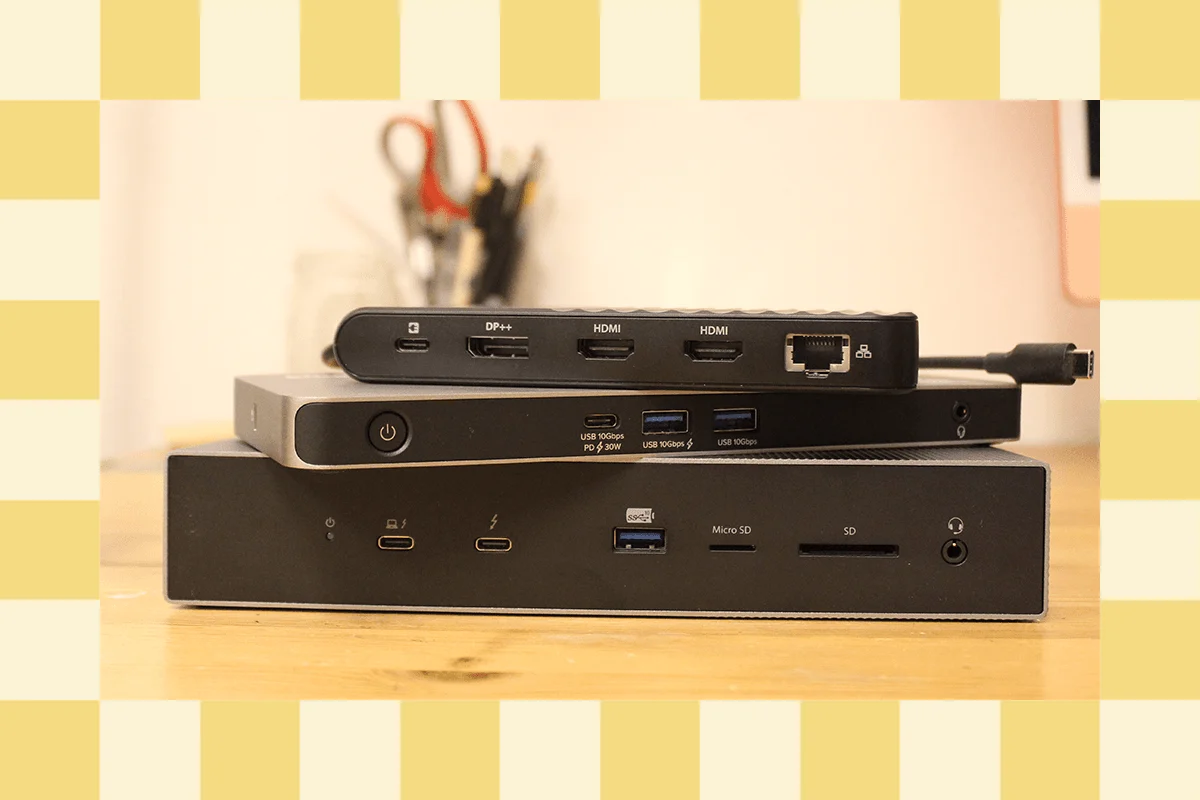
In the rapidly evolving world of personal computing, the laptop has become the primary workstation for everyone from nomadic digital creators to corporate executives. However, as manufacturers shave millimeters off device chassis to achieve sleek, ultra-portable designs, the physical port count has plummeted. The modern professional is often left with little more than a pair of USB-C ports and a dream.
While much of the technical media focuses on the "hero" products—the market leaders that define the cutting edge—a vast ecosystem of capable, reliable, and occasionally niche docking stations exists in the shadows. These devices, while perhaps not topping every "best of" list, offer exceptional utility, value, and specialized features that cater to specific workflows.
The Main Facts: Why Docking Stations Matter
At their core, a docking station is a bridge between the portability of a laptop and the stability of a desktop. Unlike a simple USB hub, which is designed for transient, on-the-go connectivity, a high-quality docking station is built to anchor a permanent desk setup.
The primary function of these devices is to consolidate power, peripheral data, and high-resolution display output into a single cable connection. By utilizing protocols like Thunderbolt 4 or the emerging Thunderbolt 5, these docks allow users to transform a lightweight MacBook Air or a thin-and-light Windows ultrabook into a multi-monitor powerhouse with a single "click" of a USB-C connector.
A Chronological Perspective: The Evolution of Connectivity
The evolution of the docking station has tracked closely with the evolution of the USB-C and Thunderbolt standards.

- The Early Years (2015–2018): This era was defined by the transition to USB-C. Docks were often plagued by inconsistent power delivery and driver issues, particularly when attempting to drive multiple monitors on macOS.
- The Thunderbolt 3 Era (2018–2021): The introduction of high-bandwidth Thunderbolt 3 brought stability. It allowed for true dual-monitor support at 4K resolution, though high-end configurations remained expensive and bulky.
- The Thunderbolt 4 and 5 Era (2022–Present): Today, we are seeing the maturation of the technology. Thunderbolt 4 established a baseline of performance that ensures compatibility, while the nascent Thunderbolt 5 standard, arriving in 2024, is pushing boundaries by supporting up to three 4K monitors at 144Hz and providing up to 240W of power delivery.
Specialized Alternatives: Beyond the Standard Picks
While market leaders often grab the headlines, the following devices represent high-performing alternatives that solve specific user problems.
1. The Value Proposition: Baseus Spacemate Air 12-in-1
For those who find premium docks prohibitively expensive, the Baseus Spacemate Air offers a compelling budget-friendly alternative to enterprise-grade gear. It excels at driving two 4K displays over a single cable. While it lacks the high-speed data transfer of a true Thunderbolt dock and features a non-removable integrated cable, it remains a standout for users who need to connect a wide array of peripherals without breaking the bank.
2. The Ergonomic Innovator: Satechi Dual Docking Station and Stand
Satechi has effectively reinvented the dock’s form factor. By placing the dock under the laptop, it serves a dual purpose: elevating the device for better ergonomics and decluttering the desk surface. Furthermore, the inclusion of an internal NVMe SSD slot allows users to add high-speed storage directly to their dock, turning a simple port replicator into a centralized storage hub.
3. The Minimalist Powerhouse: Satechi Thunderbolt 4 Slim Pro Hub
Sometimes, less is more. The Slim Pro Hub is a masterclass in clean design. Crafted from sturdy aluminum, it focuses on three high-speed Thunderbolt 4 ports (40 Gbps each) on the rear. It is the ideal solution for users who prioritize desk aesthetics and high-speed data throughput over a massive array of legacy USB-A ports.
4. The High-Performance Specialist: Ugreen Revodok Max 213
For the professional who demands extreme display resolution, the Ugreen Revodok Max 213 is a rare beast. It is one of the few devices capable of handling an 8K display at 30Hz, while simultaneously providing a pair of downstream Thunderbolt 4 ports. It is the ultimate tool for media professionals dealing with high-bitrate video workflows.

5. The "Luxury" Media Station: Ivanky FusionDock Max 1
If money is no object and the goal is to fully utilize a top-tier MacBook Pro, the Ivanky FusionDock Max 1 is the gold standard. Supporting up to four 6K screens, this device is overkill for the average office worker but indispensable for video editors and software developers who require expansive screen real estate.
Supporting Data: Understanding the Standards
The complexity of modern ports often leads to buyer’s remorse. Understanding the difference between throughput, display capacity, and power delivery is critical:
| Feature | Thunderbolt 4 | Thunderbolt 5 |
|---|---|---|
| Max Bandwidth | 40 Gbps | 80–120 Gbps |
| Display Support | Up to 2x 4K @ 60Hz | Up to 3x 4K @ 144Hz |
| Power Delivery | Up to 100W | Up to 240W |
The "Upstream vs. Downstream" Distinction
A common point of confusion for consumers is the directionality of ports. An upstream port is the primary connection that sends data and power from the dock to the laptop. Downstream ports are the outputs meant for peripherals like external drives, webcams, or additional monitors. Relying on an upstream port for a peripheral will generally result in failure or significantly degraded performance.
Official Industry Stance: The Compatibility Hurdle
While most docking stations claim "Universal Compatibility," the reality is often more nuanced. Manufacturers, including those behind the top-tier docks mentioned above, acknowledge that macOS and Windows handle external display protocols differently.
Windows machines are generally more flexible, often supporting "Extended Mode" natively. macOS, particularly on base-model silicon (the M1/M2/M3/M4 non-Pro chips), may artificially limit external display support to a single monitor. To circumvent this, many users turn to DisplayLink technology.

Industry experts note that while DisplayLink effectively creates a "virtual GPU" to drive extra monitors, it is not without compromises. Users may experience minor latency or issues with high-refresh-rate gaming, as the signal is compressed before being sent to the display.
Implications: Making the Right Investment
When choosing a dock, the most important question is not "What is the best?" but "What is my workflow?"
- The Nomad: If you switch desks frequently, a "Mobile Dock" like the Kensington Triple Video Mobile Dock is superior. It offers the essentials—dual 4K display support and 85W charging—in a package small enough to fit in a laptop sleeve.
- The Creative Professional: If you are editing 8K video or managing massive raw data files, prioritize a Thunderbolt 4 or 5 dock with dedicated downstream Thunderbolt ports.
- The Minimalist: If your desk is your sanctuary, look for hubs that prioritize rear-facing cable management and clean, aluminum chassis, like those offered by Satechi.
Is Thunderbolt 5 Worth the Premium?
The transition to Thunderbolt 5 is currently in its infancy. While the performance gains are undeniable, the ecosystem is still catching up. There is a notable lack of Thunderbolt 5-enabled external SSDs and peripherals to fully saturate that bandwidth. However, if you are buying a dock today with the intention of keeping it for five years, the marginal cost increase for a Thunderbolt 5 device—such as the Sonnet Echo 13—is a wise "future-proofing" investment.
Conclusion
The market for docking stations is no longer a monolith. It has fractured into specialized niches, each serving a distinct type of user. Whether you are a student looking for a budget-friendly way to connect your laptop to a monitor, or a creative professional building a four-screen editing suite, the solution is out there.
By looking beyond the mainstream "top picks" and focusing on the specific technical requirements of your workstation—power delivery, display protocol, and port layout—you can find a device that doesn’t just manage your cables, but enhances your daily productivity. The ideal dock is the one that disappears into the background, leaving you with nothing but your work and a clean, connected desk.