
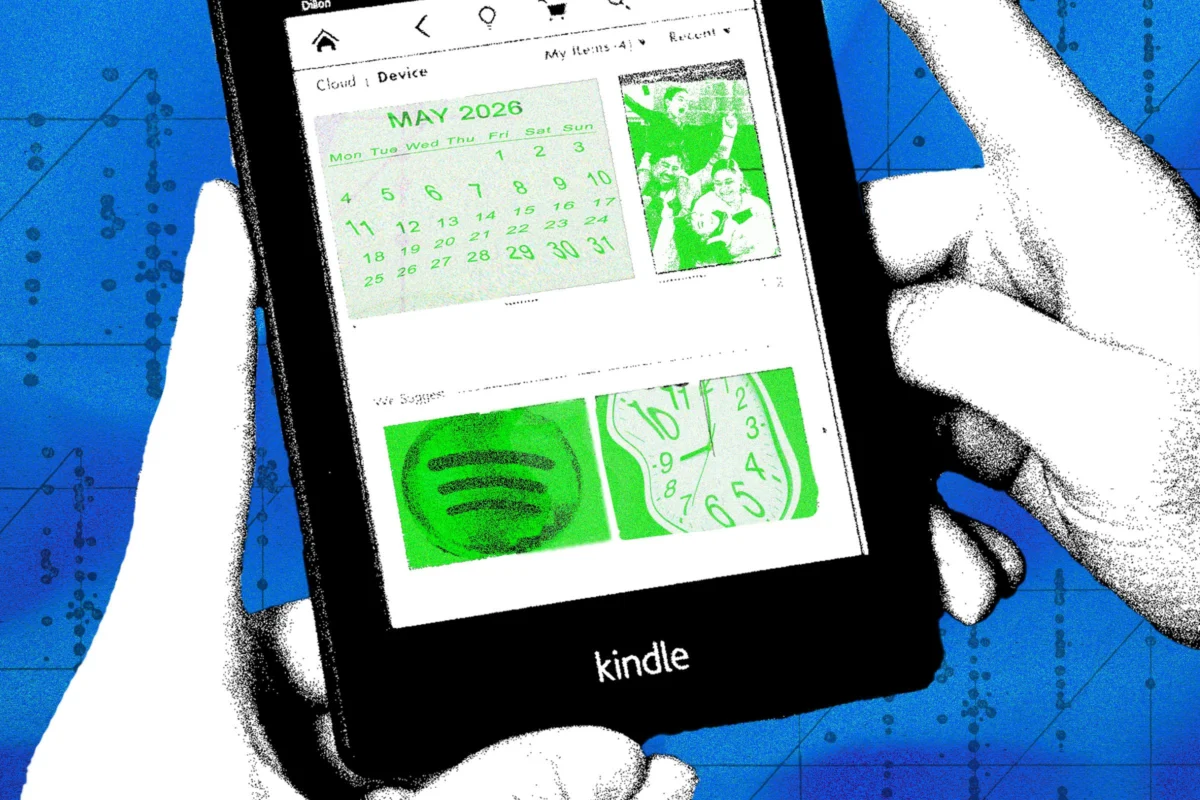
For over a decade, Amazon’s Kindle line has stood as the gold standard for digital reading. With their signature E-Ink displays designed to mimic the texture and clarity of physical paper, these devices excel at one primary objective: distraction-free literature consumption. However, as consumers cycle through hardware upgrades, thousands of older-model e-readers inevitably end up collecting dust in desk drawers.
While the hardware may be considered "legacy" by Amazon’s current software standards, the underlying technology remains remarkably robust. Because Kindles possess low-power, high-contrast displays and built-in Wi-Fi connectivity, they are prime candidates for creative repurposing. For the tinkerers, the environmentalists, and the tech-curious, an old Kindle is not a piece of e-waste—it is a blank canvas.
The Evolution of E-Reader Versatility: Main Facts
The shift from a "closed" ecosystem to an open-source hobbyist playground has been driven by the rise of web-based APIs and the accessibility of community-driven code repositories. Unlike standard tablets, which are designed for app stores and high-bandwidth multimedia, the Kindle’s E-Ink screen offers a unique aesthetic and power profile.
The primary limitation of these devices is the restrictive nature of their native operating system. However, by leveraging the built-in experimental web browser or, for more advanced users, jailbreaking the firmware, owners can bypass the traditional "Amazon-only" experience. The following projects represent the pinnacle of this DIY movement, turning static reading devices into interactive, data-driven home peripherals.
Chronology of the DIY Kindle Movement
The journey toward "hacking" Kindles began in the mid-2010s, as the community realized that the devices were essentially Linux-based computers.
- 2012–2015: Early adopters began experimenting with custom screensavers and basic file modifications to personalize their devices.
- 2016–2019: With the maturation of web-based dashboard tools, developers began creating "Kindle Dashboards," which utilized the browser to refresh simple web pages, effectively turning the devices into wall-mounted calendars.
- 2020–Present: The surge in remote work and smart home adoption accelerated the development of seamless integrations, such as Spotify Connect controllers and literary-themed timepieces. These projects shifted from "niche coding experiments" to accessible, well-documented guides available to the average user.
Project One: The Spotify Controller
One of the most immediate and satisfying transformations involves turning your Kindle into a dedicated Spotify remote.
How It Works
Through the platform Kindlify.co, your Kindle acts as a bridge between your local Wi-Fi and your Spotify account. By utilizing the "Spotify Connect" protocol—a standard feature that allows one device to control the playback of another—you can turn your e-reader into a physical remote for your living room sound system or desktop speakers.
Implementation and Constraints
To execute this, users simply navigate the Kindle’s internal browser to the Kindlify interface. After authenticating your account, the device renders a clean, minimalist interface showing current track metadata, playback progress, and standard transport controls (play, pause, skip).
It is crucial to understand the limitations here: the Kindle does not "play" the music itself. It is a remote control interface. There is no internal speaker processing or Bluetooth audio routing. However, for those who want a tactile, low-glare way to manage a playlist without staring at a high-intensity smartphone screen, this provides an elegant, retro-tech solution.
Project Two: The Smart Home Dashboard
For those with a penchant for home automation, a Kindle can serve as a wall-mounted dashboard for your domestic life.
Bridging the Data Gap
By setting up a local web server (often hosted on a Raspberry Pi or a personal computer), you can create a custom webpage that aggregates data from your smart home ecosystem. Using APIs, this page can pull real-time weather forecasts, Google or Outlook calendar events, and even specific data from smart home platforms like Home Assistant.
The Hardware Build
Unlike the Spotify project, this is a hardware-intensive endeavor. Because the Kindle isn’t designed to be a permanent wall display, hobbyists often:
- Frame the Device: Many developers utilize 3D-printed or custom-cut wooden frames to hide the plastic bezels, giving the Kindle a sleek, professional "picture frame" aesthetic.
- Power Management: Since constant Wi-Fi connectivity drains the battery, users often bypass the battery or utilize a "smart plug" setup to ensure the device remains charged without overtaxing the lithium-ion cell.
- Code Customization: This project requires a degree of technical literacy. Developer Matt Healy’s documentation is the industry standard here, offering scripts that handle the "refresh rate" of the screen—essential for E-Ink, which can suffer from "ghosting" if refreshed too frequently.
Project Three: The Literary Clock
Perhaps the most whimsical of the three, the "Literary Clock" project redefines how we perceive time.
The Concept
A literary clock replaces the standard digital or analog time display with a quote from a book that specifically references the current time. For example, at 10:30 AM, the screen might display a line from a classic novel mentioning that specific hour and minute.
Technical Requirements
This project utilizes a library of 1,440 images—one for every minute of the day. Because the Kindle has a high-resolution display, the text is rendered with the same clarity as a printed page.
- The Quiz Element: The software is designed to hide the title and author of the book until the user taps the screen. This transforms the device into a daily literary challenge.
- Ease of Deployment: Because the community has already sourced and formatted the necessary images and scripts, this is one of the most "turn-key" projects for a beginner, provided they are comfortable with the initial file transfer process via USB.
Supporting Data and Technical Implications
The viability of these projects rests on the Kindle’s hardware specifications:
- Battery Efficiency: Because E-Ink consumes power only when the image changes, a Kindle displaying a static clock or dashboard can remain powered for significantly longer than a standard LCD tablet.
- Connectivity: While older Kindles (such as the Kindle Keyboard or Touch) have slower Wi-Fi radios, they are more than capable of loading lightweight HTML5 pages.
- Community Support: Platforms like Reddit’s r/ereader and Instructables serve as vital hubs. As of late 2023, the documentation for these hacks has become increasingly user-friendly, reducing the barrier to entry from "software engineer" to "tech-savvy hobbyist."
Official Stances and Industry Implications
Amazon has traditionally maintained a neutral stance on these modifications. While their Terms of Service prohibit software tampering that might compromise digital rights management (DRM), they have generally allowed users to explore the device’s secondary functionalities so long as they do not violate the core security of the Kindle store.
However, industry experts note that as Amazon moves toward more locked-down, cloud-reliant software, future generations of Kindles may become less "hackable." This makes the current generation of older, more open models highly sought after in the secondary market. By repurposing these devices, users are actively extending the lifecycle of consumer electronics, a move that aligns with modern "Right to Repair" initiatives.
Final Implications: The Future of E-Waste
The primary implication of these projects is the shift in perspective regarding hardware lifespan. We have been conditioned to view tech as "disposable" once the next faster model arrives. These projects prove that hardware doesn’t lose its utility simply because it is no longer the fastest or the brightest on the market.
By turning a Kindle into a clock, a remote, or a home dashboard, you aren’t just engaging in a fun weekend hobby—you are actively participating in a circular economy. You are reclaiming the device’s potential, preventing a piece of plastic and metal from entering a landfill, and demonstrating that the most "advanced" device isn’t always the one with the newest processor; it’s the one that serves its purpose with the most elegance and intent.
Whether you choose the simplicity of the Spotify controller or the complexity of the custom-framed smart home display, the journey is one of discovery. Your old Kindle is waiting for its second act—the only question is what you want it to become.