Passwords remain the digital world’s most persistent catch-22: if they are strong enough to be secure, they are usually impossible to remember. If they are easy to recall, they offer little protection against modern cyber threats. Despite decades of warnings from security experts, the two most common passwords on the internet remain "password" and "123456." As of August 2026, the reliance on weak, reused credentials continues to facilitate a staggering percentage of data breaches, identity thefts, and financial losses.
It does not have to be this way. While we cannot expect the average user to memorize hundreds of unique, 16-character randomized strings, we can adopt tools that do the heavy lifting for us. Modern password managers have evolved from simple digital sticky notes into sophisticated, encrypted vaults that provide seamless access to our digital lives while maintaining high-grade security.
The Evolution of Authentication: From Passwords to Passkeys
For years, the industry has chased the "passwordless" dream. The FIDO Alliance, a consortium dedicated to standardizing online authentication, has made significant headway with the development of "passkeys." Unlike traditional passwords, passkeys are cryptographic key pairs managed by your device. When you log in, your device uses a private key—protected by your biometrics or a PIN—to prove your identity to a service’s public key.

Because passkeys are not shared with the website, they are effectively immune to phishing attacks that harvest passwords. However, as the industry transitions, we remain in a hybrid period. You will likely manage a mix of legacy passwords and modern passkeys for the foreseeable future. A robust password manager is the only tool that effectively bridges this gap, storing both types of credentials in one secure location.
Methodology: How We Tested
Security is the primary requirement for any password manager. Our testing methodology involves deep dives into the encryption architecture of each service. We look for "zero-knowledge" systems—where the service provider has no way to view or decrypt your data. We also analyze the software’s handling of local device security, the consistency of browser extensions, and the robustness of their cross-platform synchronization.
We prioritize tools that offer transparent, audited code. While proprietary software can be secure, open-source projects like Bitwarden allow independent security researchers to inspect the code for vulnerabilities, significantly increasing the likelihood that flaws are identified and patched before they can be exploited.
-SOURCE-Bitwarden.jpg)
Top Recommendations for 2026
1. Bitwarden: The Gold Standard for Most Users
Bitwarden remains our top pick for the majority of users. It is secure, open-source, and offers a feature-rich free tier that does not artificially limit the number of devices you can use.
- Security: Bitwarden is frequently audited by third-party firms. Because it is open-source, the global security community constantly reviews its code.
- Usability: It offers polished applications for Windows, macOS, iOS, Linux, and Android, along with browser extensions that support semi-automated filling, which helps users avoid the pitfalls of fully automated forms that can be exploited by malicious scripts.
- Extras: Bitwarden supports passkeys, biometrics, and even allows for self-hosting if you prefer to maintain your own server infrastructure.
2. Proton Pass: The Best Free Tier
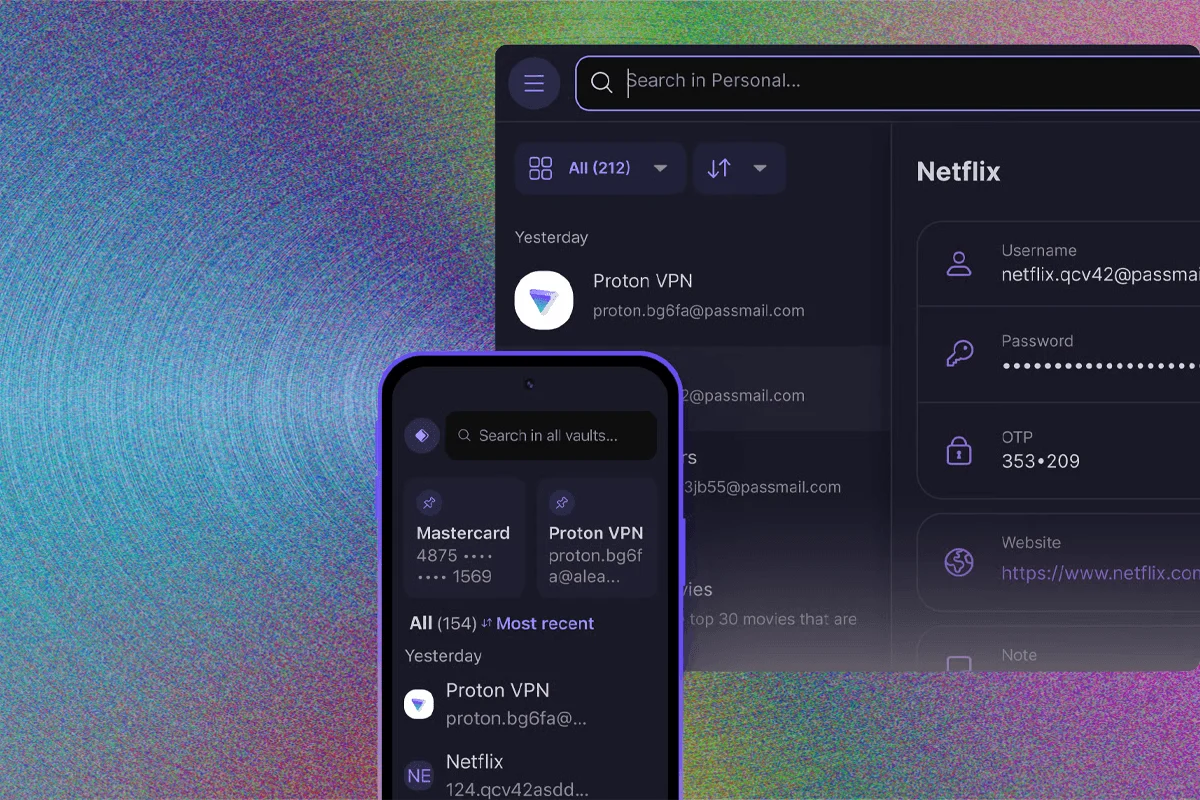
Proton has built a formidable reputation in the privacy space, and their password manager, Proton Pass, is an exceptional extension of that ecosystem.
- Why it shines: The free plan is incredibly generous, offering unlimited logins and devices. It also includes 10 email aliases, a vital tool for protecting your real email address from spam and data brokers.
- Privacy: Proton’s long-standing commitment to encryption and privacy makes them a natural choice for users already integrated into their suite of mail, calendar, and VPN services.
3. Keeper: The Leader in Password Sharing
For users who need to manage credentials for small businesses or families, Keeper stands out.

- Flexibility: Instead of the standard "all-or-nothing" vault, Keeper allows for granular permission structures similar to cloud-based document sharing. You can share folders, set expiration dates on credentials, and even create self-destructing records.
- Scalability: While more expensive than competitors, Keeper scales efficiently for small-to-medium businesses that require high-level administrative oversight.
4. 1Password: The Feature-Rich Powerhouse
If you are willing to pay for premium features, 1Password is the most robust, user-friendly option on the market.
- Travel Mode: A standout feature for international travelers. You can designate specific vaults to be "removed" from your device when crossing borders, preventing border officials or thieves from accessing your full history.
- Security Architecture: 1Password uses a dual-key system—your password plus a generated "Secret Key"—which adds a unique layer of defense against brute-force attacks.
Addressing the Risks: Why Browser Managers Fall Short
Many users rely on the built-in password managers in Chrome, Edge, or Safari. While better than reusing passwords, these are inherently limited. If an attacker gains physical or remote access to your unlocked computer, they can often dump your entire saved password list from the browser’s database with minimal effort. Dedicated password managers add layers of encryption and multi-factor authentication (MFA) that make such a theft significantly more difficult.
The Danger List: What to Avoid
Security is non-negotiable. We advise users to exercise extreme caution with services that have a history of poor communication regarding breaches.
-SOURCE-Nordpass-(cropped).jpg)
LastPass, in particular, has faced significant scrutiny following a series of high-profile data breaches. The company’s delay in disclosing the extent of these incidents—which were eventually linked to massive cryptocurrency thefts—eroded the trust required for a security product. Given the availability of more transparent alternatives like Bitwarden and Proton Pass, there is little reason to accept the risks associated with LastPass.
Implications of Security Neglect
The "don’t panic" rule applies to software, but not to your personal behavior. If a service you use is breached, a password manager allows you to change your credentials across dozens of sites in minutes rather than hours. Without a manager, you are likely to keep using the same password for years, effectively leaving the door open for hackers who use "credential stuffing" attacks—taking leaked passwords from one site and trying them across every other service on the web.
Establishing Your Security Workflow
To maximize your protection, follow these three steps:

- Set a strong Master Password: Use the Diceware method to generate a long, memorable passphrase. This is the only password you will need to memorize.
- Enable MFA Everywhere: Use an authenticator app (like those built into 1Password or Bitwarden) or a hardware security key (like a YubiKey) for your master account.
- Disable Auto-Submit: Set your manager to fill credentials, but require a manual click to submit the form. This prevents malicious "invisible" forms from stealing your data as soon as you visit a page.
Conclusion
The convenience of the internet should not come at the cost of your digital identity. By adopting a dedicated password manager, you transform your security from a fragmented, weak link into a hardened, centralized fortress. Whether you choose the open-source transparency of Bitwarden, the privacy-first focus of Proton, or the feature-rich ecosystem of 1Password, the most important step is simply starting. Your future self—and your bank account—will thank you for the extra effort.