
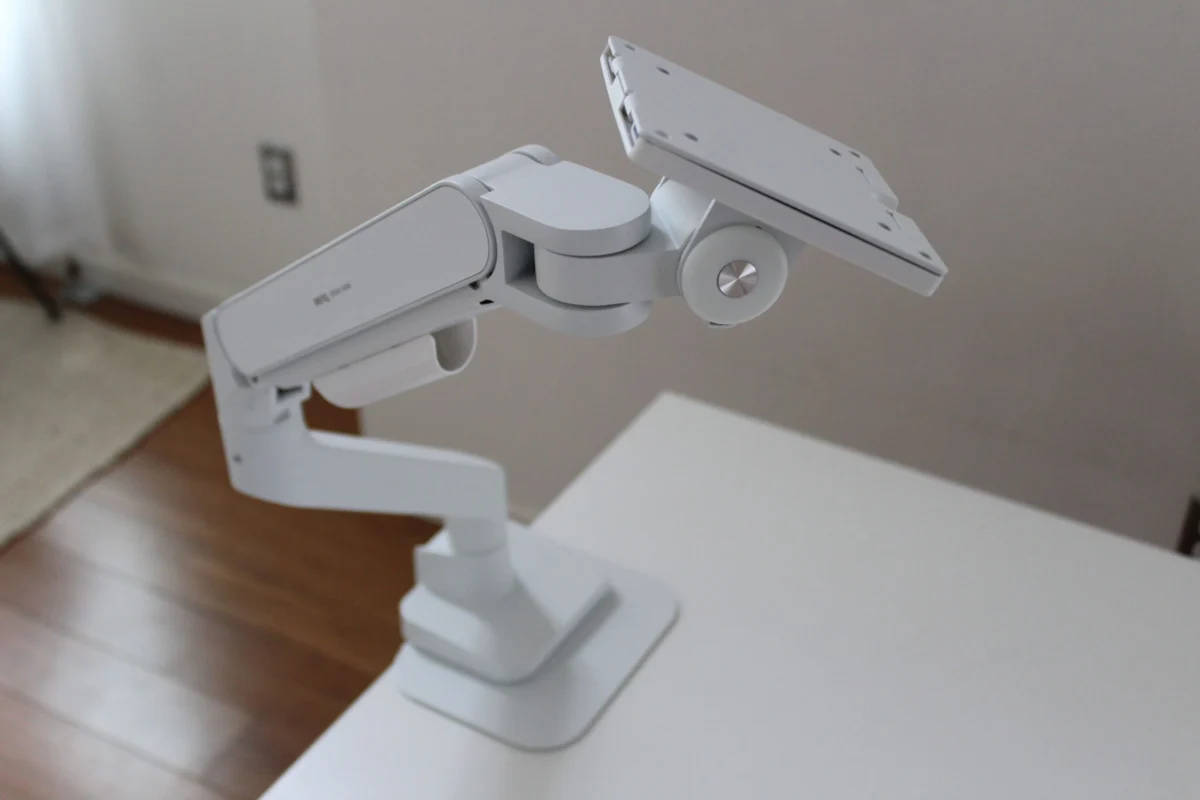
In the modern workspace, the monitor is the window to our professional and creative worlds. Yet, millions of professionals spend their days hunched over screens, restricted by the rigid, limited-motion stands that come included in the box. As our reliance on digital displays grows—often ballooning to ultrawide formats or massive 42-inch panels—the humble monitor stand has become a bottleneck for both comfort and productivity.
Transitioning to a dedicated monitor arm is more than an aesthetic upgrade; it is a fundamental shift in workplace ergonomics. By clearing the base from your desk and allowing for fluid, precision-based adjustments, you can reclaim your workspace and protect your physical health. But as the market floods with budget-friendly options, how do you distinguish between a reliable tool and a desk-destroying liability?
Main Facts: The Anatomy of a Proper Monitor Arm
When evaluating a monitor arm, the criteria for success are clear: stability, ease of adjustment, and compatibility. An ideal arm acts as an extension of your own movement, allowing you to pull your screen closer for deep-focus tasks or push it back to reclaim desk real estate.
The industry has largely moved toward two primary mechanisms: Mechanical (Spring-assisted) and Gas-Spring. While mechanical springs offer a cost-effective, albeit stiffer, experience, gas-spring models provide a fluid, "floating" feel that allows for near-effortless repositioning.
Beyond the mechanism, the physical construction is paramount. Robust arms are crafted from high-grade aluminum or steel. Cheap, plastic-heavy alternatives often fail to manage the tension required for larger displays, leading to the dreaded "droop," where the monitor slowly slides downward over the course of a workday.

A Chronology of Testing: Expert Insights
Over the past several years, we have put dozens of monitor arms through rigorous, real-world testing. This isn’t just about reading specs; it involves the manual labor of assembly, the stress-testing of desk clamps, and the long-term observation of how these units behave under the weight of premium hardware.
The Heavy-Duty Contender: Wali Monitor Arm ($75)
When testing the Wali Heavy-Duty Monitor Arm, the primary challenge was the 42-inch KTC G42P5 display. Most arms are designed for standard 27-inch monitors; pushing the limits of size often results in structural failure. However, the Wali has remained rock-solid for over a year. It serves as a testament that, sometimes, an inconspicuous, budget-friendly piece of gear can outperform expectations, provided the weight distribution is handled correctly.
The Mid-Market Reality: Branch Monitor Arm ($129)
The Branch Monitor Arm represents a significant portion of the current market. During our testing, we discovered a common industry secret: many brands share identical chassis components, separated only by branding. While the Branch is a solid, functional piece of equipment—and notably cheaper than some direct competitors like the BenQ Ergo Arm—it lacks certain "quality of life" features, such as an included reinforcement plate for desk protection. It is a capable mid-range choice, but one that requires the user to invest in their own protective hardware for more delicate desk surfaces.
The Versatility Champion: Monoprice Workstream ($83)
For those managing complex setups, the Monoprice Workstream has proven to be a workhorse. In our current configuration, it supports a 32-inch ultrawide alongside a secondary vertical monitor. Crucially, the clamp design is exceptionally deep, accommodating a 5-inch thick desktop—a rarity in a market often optimized for standard-issue particle-board desks.
The "Avoid" Category: AmazonBasics Adjustable Desk Mount ($29)
Not every budget option succeeds. Our testing of the AmazonBasics Adjustable Desk Mount revealed significant flaws. Beyond the quality control issues (the unit arrived in a pre-damaged state), the pole-based design is fundamentally outdated. Adjustments are clunky, requiring manual tools, and the stability is lackluster. When your screen wobbles with every keystroke, the ergonomic benefits are completely negated.

Supporting Data: Understanding Your Hardware
Choosing the right arm requires a granular look at your existing gear. Before purchasing, consider these three pillars of compatibility:
- VESA Compatibility: The vast majority of monitors use the VESA mounting standard (usually 100mm x 100mm or 75mm x 75mm). Check the back of your monitor for the four screw holes. If they are missing, you may be locked into your current stand unless you purchase a third-party adapter.
- Weight-to-Tension Ratio: If your monitor is curved, you must account for the "forward-leaning" center of gravity. A safe rule of thumb is to add a 5-pound buffer to the manufacturer’s stated weight limit.
- The Desk Surface: Not all desks are created equal. A monitor arm exerts a significant amount of concentrated pressure on the edge of your desk. If you are using a glass-top table or a hollow-core desk, a clamp mount will likely cause structural damage. In these cases, a grommet-style mount—which requires a drilled hole—is the only secure way to proceed.
Official Responses and Industry Trends
We reached out to manufacturers and industry consultants regarding the rise of the "budget-first" market. The consensus is that while the barrier to entry has lowered, the engineering trade-offs remain significant.
Boutique firms like Humanscale and Herman Miller maintain that their higher price points are justified by longevity and precision. These brands focus on "infinite" adjustment, where the arm stays exactly where you put it without requiring constant tightening of set screws. On the other end, mass-market manufacturers are increasingly moving toward business-only distribution models. A prime example is the Pout Eyes 12 Monitor Arm, which was a high-value consumer favorite before the company shifted its focus exclusively to enterprise-grade sales. This highlights a volatile market where the best value products can vanish from retail shelves overnight.
Implications: The Long-Term Impact on Workspace Health
Why go through the trouble of changing your setup? The implications for your long-term health are substantial.
Ergonomic Flexibility
The primary driver of the monitor arm market is the fight against "tech neck." By positioning the top third of your screen at eye level, you keep your cervical spine in a neutral position. A good arm allows you to push the screen away during meetings to clear space for physical documents, or bring it forward when you need to focus on intricate design work. This range of motion is physically impossible with fixed stands.

Space Optimization
For those working in compact urban apartments or shared office spaces, the desk is a premium asset. By eliminating the footprint of a large, V-shaped monitor stand, you gain valuable surface area. This is particularly noticeable with ultrawide monitors, which often ship with stands that occupy nearly a third of a standard desk’s depth.
Future-Proofing
The shift toward dual-monitor or even triple-monitor setups is accelerating. Whether you choose a single, high-quality dual-arm mount or two independent arms depends on your workflow. For productivity, a dual-arm setup keeps the alignment precise. For gaming, where the primary screen often needs to be centered and the secondary screen acts as a peripheral utility, two independent arms offer superior customization.
Conclusion: Investing in Your Workflow
As we look toward the future of the home office, the monitor arm has evolved from a luxury accessory to an essential component of the professional workspace. While the "murky waters" of Amazon listings can be daunting, sticking to tested, reputable, or well-reviewed hardware ensures your investment will last.
Our upcoming tests will focus on the upper echelon of the market, including the latest offerings from Humanscale and Herman Miller, to determine if the high-end boutique price tag truly translates to a superior daily experience. Until then, remember: your screen is only as good as the arm that supports it. Choose wisely, prioritize stability, and give your neck the relief it deserves.