In the early days of digital photography, white balance was the bane of the novice and the meticulous obsession of the professional. It is the invisible force that determines whether a portrait looks like a healthy human subject or a sickly, blue-tinted anomaly. As we navigate the technological landscape of 2026, the fundamental principles of color science remain, yet the tools we use to command them have undergone a seismic shift.
White balance is, at its core, the art of neutralizing color casts. When you photograph a scene, your camera’s sensor captures light as it is—not as your brain perceives it. Human vision is an incredibly sophisticated processor; our brains automatically adjust for the "temperature" of a light source, allowing us to perceive a white piece of paper as white whether it is under a candle, a fluorescent bulb, or the midday sun. Cameras, however, are literalists. They require explicit instruction or intelligent automation to strip away these unwanted color casts and render a scene with clinical accuracy.

The Science of Color Temperature: A Brief History
To understand white balance, one must first master the concept of color temperature. This is measured on the Kelvin (K) scale, a thermodynamic measurement that paradoxically feels counterintuitive to the novice.
On this scale, "warmer" light—such as the orange glow of a sunset or a candle—actually has a lower Kelvin value (around 2000K to 3000K). Conversely, "cooler," bluer light—such as a heavily overcast sky or deep shade—reaches higher values (6000K and above). Neutral, white light, approximating high noon, sits squarely in the middle, typically between 5000K and 5500K.

For decades, the standard practice for photographers was to combat these shifts using in-camera presets—Tungsten, Fluorescent, Daylight, Cloudy, and Shade. If you failed to set the correct preset, you were often left with a RAW file that required painstaking labor in post-processing to correct.
2026: The AI Paradigm Shift
The year 2026 marks a turning point in how photographers interact with color. We have moved from "manual correction" to "intelligent interpretation." The integration of artificial intelligence into mirrorless imaging systems has fundamentally altered the workflow.

1. The Era of Scene-Aware Auto White Balance (AWB)
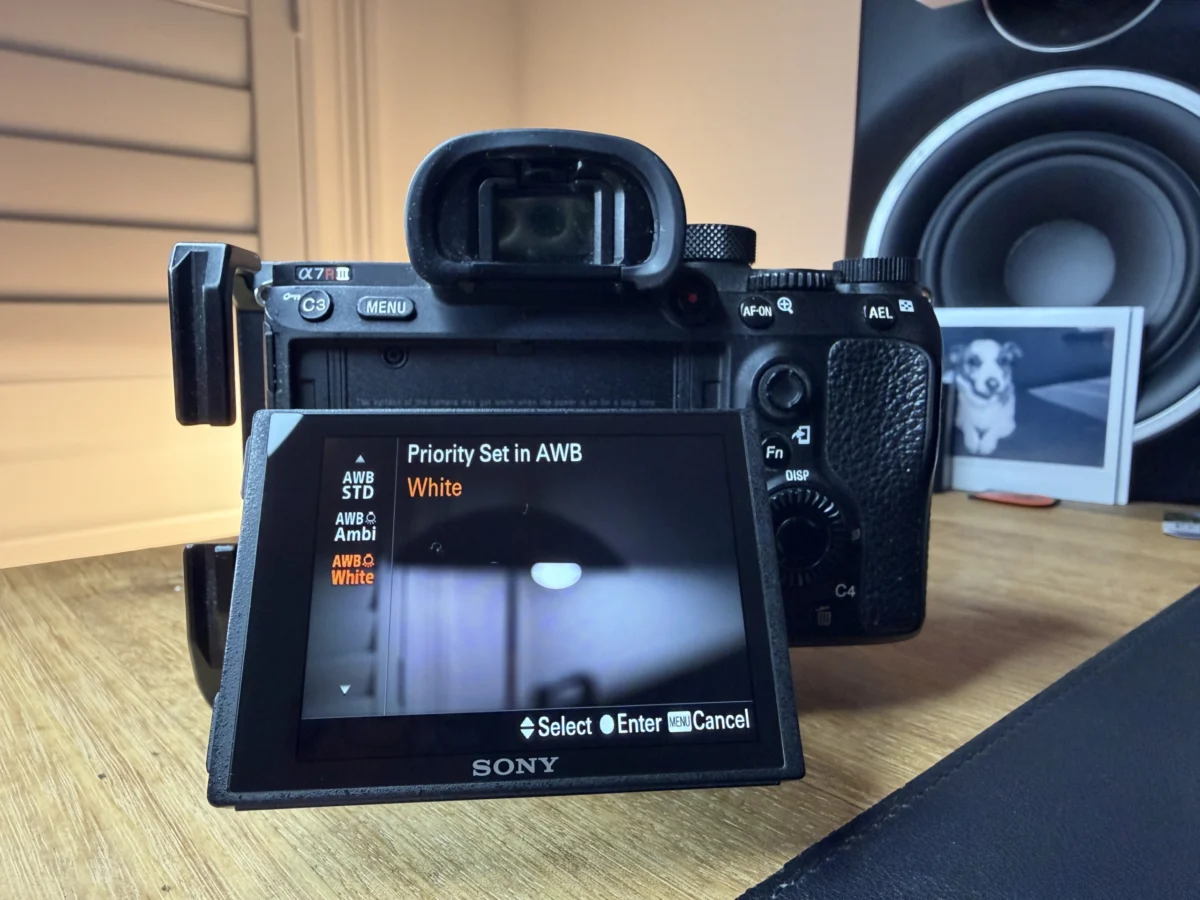
Modern mirrorless bodies from major manufacturers have moved beyond simple averaging algorithms. Systems now utilize deep-learning databases to identify the subject matter. When a camera recognizes a face, it prioritizes skin tone accuracy over background color neutrality. If the camera detects a landscape, it may opt for a more "pleasing" aesthetic balance rather than a mathematically neutral one.
2. Live Preview and the Death of "Chimping"
In the DSLR era, photographers often "chimped"—the act of checking the LCD screen after every shot to ensure the colors didn’t look "off." Today’s electronic viewfinders (EVFs) offer a real-time, WYSIWYG (What You See Is What You Get) experience. By applying a live, AI-assisted white balance preview, photographers can make creative decisions about the mood of their shot before the shutter is even pressed.

3. Computational Post-Processing
Software giants have revolutionized the darkroom. Tools like Lightroom’s "Match Color" and advanced AI-masking allow for non-destructive, subject-aware white balancing. Rather than applying a global adjustment to an entire image, modern software can differentiate between a warm-lit subject and a cool-lit environment, applying localized color corrections that would have been impossible without hours of masking just five years ago.
Why Accuracy Still Matters
Despite the prowess of modern AI, the importance of white balance has not diminished; it has simply evolved. Professionals still prioritize accurate white balance for three primary reasons:

- Commercial Integrity: In product and real-estate photography, color accuracy is a contractual requirement. If a sofa looks slightly yellow due to improper balance, the manufacturer may reject the images.
- Skin Tone Consistency: In portraiture, human skin is the most sensitive metric. Even a slight deviation toward magenta or green can result in an unhealthy appearance that AI sometimes struggles to correct without making the rest of the image look flat.
- Creative Intent: True mastery of white balance involves knowing when to break the rules. A photographer might deliberately "cool" an image to evoke a sense of melancholy or "warm" it to suggest a romantic, nostalgic atmosphere. When this is done by choice rather than by accident, it becomes a powerful narrative tool.
In-Camera vs. Post-Processing: The Current Consensus
The debate between in-camera white balance and post-processing remains, though the stakes have changed.
The Case for In-Camera Correction
Even with modern AI, locking in a custom Kelvin value on set is still the gold standard for video production. Because video is a temporal medium, "Auto" white balance can cause "flickering" or color shifting if the light changes even slightly while the camera is rolling. By setting a fixed Kelvin value, the videographer ensures a consistent color grade throughout the final edit.

The Case for Post-Processing
For still photography, specifically when shooting in RAW, the "correct" white balance is essentially metadata. Because a RAW file contains all the data from the sensor, you can change the white balance in post-production without any loss in image quality. This is why many photographers now prefer to leave their cameras on "Auto" and reserve final color decisions for the editing suite.
The Practical Workflow: A Step-by-Step Guide
For those looking to move beyond "Auto," follow this professional-grade workflow:

- The Reference Shot: If you are in a controlled environment, use a gray card. Place it in the lighting conditions of your subject and take a reference photo. In post-production, use the "eyedropper" tool in your editing software to click on the gray card. This establishes a perfectly neutral baseline.
- Sample Neutrality: In the absence of a gray card, look for objects that are naturally neutral—concrete, white fabrics, or grey rocks. Click these with your eyedropper tool.
- Refine with Sliders: If the eyedropper results are too clinical, move the "Temperature" and "Tint" sliders. Remember: "Temperature" moves you along the blue-to-yellow axis, while "Tint" handles the green-to-magenta axis.
- Creative Overlays: Once the image is neutralized, add back the "mood" if necessary. A slight bump toward the warm end of the spectrum is often perceived as more pleasing by the human eye than a perfectly neutral, slightly cool, and "sterile" image.
Implications for the Future
As we look toward the remainder of the decade, the trajectory is clear: the technology is becoming increasingly invisible. We are entering a phase where the "technical" burden of photography is being offloaded to the hardware, allowing the artist to focus entirely on the subject and the story.
However, a warning remains for the next generation of photographers: relying solely on AI to "fix it in post" can lead to a loss of creative control. Understanding the color temperature of light—knowing why a sunset is 3000K and why shade is 7000K—remains a fundamental skill. It is the difference between a photographer who is merely a user of tools and one who is a master of their craft.

The next time you head out to shoot, don’t just rely on your camera’s "Auto" mode. Take a moment to analyze the light. Ask yourself what the color temperature is. Determine whether you want to preserve the reality of the scene or manipulate the mood. By taking ownership of your white balance, you are taking ownership of the emotional impact of your work. The tools have changed, but the vision—and the responsibility—remains entirely yours.